
GhostMint

Sync Your Bitcoin Node
in Minutes, Not Days

Cryptographically verified UTXO snapshot with PAR2 self-repairing error correction. One command to verify, decompress, and load.

Oliver Odusanya
Independent Principal Investigator

Block 937,817 — February 2026 — Bitcoin Core v29
The Problem

Initial Block Download (IBD) syncs every block from genesis. On consumer hardware, that takes days. Many users give up before their node finishes syncing.

3–7
days to sync from scratch
600K+
blocks to download & verify
~600 GB
blockchain data on disk

The Solution: Three-Layer Integrity

zstd Compression

8.8 GB → 7.9 GB. Zstandard decompresses at ~1.5 GB/s with built-in frame checksums.

~10% compression ratio with frame-level integrity (xxhash64 per frame). Streaming decompression uses constant memory regardless of file size. 10–50x faster than gzip, 30–100x faster than xz at decompression.

Dual Checksums

SHA-256 + SHA-512 for both compressed and raw files. Two independent algorithms, cross-verified.

4 total hashes verified: 2 algorithms × 2 files (compressed + raw). Different internal structures defend against length-extension and algorithm-specific attacks. Verify manually: shasum -a 256 -c SHA256SUMS

PAR2 Self-Repair

5% Reed-Solomon redundancy. Detects and repairs up to ~400 MB of file corruption without re-downloading.

Based on Reed-Solomon error correction — the same math behind CDs and QR codes. Repairs bit-rot, truncation, and bad sectors. 403 MB of recovery data protects the full 8 GB file. par2cmdline is open-source. First UTXO snapshot project to include PAR2.

One-Click Install — Every Platform

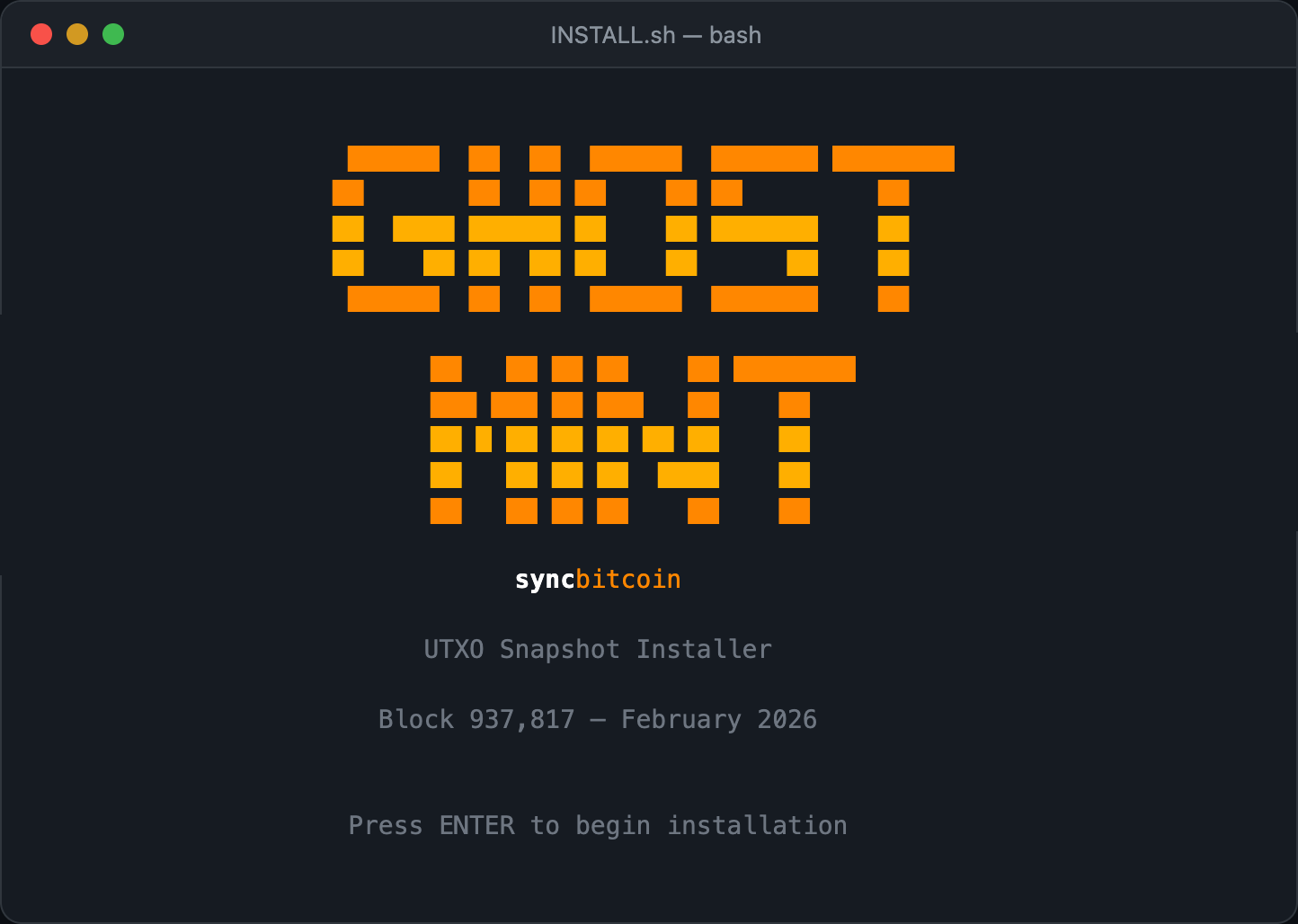
Automated installer that verifies integrity, decompresses, configures Bitcoin Core, and loads the snapshot.

GHOSTMINT installer splash screen

macOS

./INSTALL.sh in Terminal, or double-click Install.command.

Auto-detects shasum, zstd, par2, bitcoin-cli.

Linux

./INSTALL.sh in any terminal, or double-click Install.desktop.

Ubuntu, Fedora, Debian, Arch — anywhere bash runs.

Windows

.\INSTALL.ps1 in PowerShell — no extra dependencies beyond zstd.

Or double-click INSTALL.bat to auto-launch via WSL or Git Bash.

What the installer does

Guided flow Platform detect, prerequisites, PAR2 verify, decompress, configure, load.
Integrity verification PAR2 self-repair fixes corruption without re-downloading.
Node mode selector Choose pruned (~10 GB) or full archival (~600 GB).
Chainparams patch Displayed with syntax highlighting, ready to copy.
Unattended mode --non-interactive for scripted and CI installs.
Cross-platform One codebase: bash, PowerShell, and .bat launcher.
GhostMint
1
2
3
4

Select Your Platform

We'll customize the instructions for you.

Quick Start

Install Bitcoin Core

Download from bitcoincore.org — available for macOS, Linux, and Windows.

Download all snapshot files into one directory

From the Internet Archive page, or use the direct links below.

Install prerequisites

# macOS
brew install zstd par2

# Linux (Debian/Ubuntu)
sudo apt install zstd par2

# Windows (via Chocolatey or Scoop)
choco install zstandard
# or: scoop install zstd

Run the script

chmod +x verify-and-load.sh
./verify-and-load.sh

It verifies PAR2 integrity, checks SHA-256, decompresses, and optionally loads into Bitcoin Core.

Patch chainparams (one-time)

Add the snapshot entry to Bitcoin Core and rebuild. See details below.

Choose your node mode

The script asks: Pruned (~10 GB) or Full archival (~600 GB)? Pruned is recommended for most users — same security, fraction of the disk.

Your node is synced

Bitcoin Core is immediately usable at block 937,817. Background validation completes automatically.

Download Files

Permanently hosted on the Internet Archive — free, reliable, no seeders required.

GhostMint

New to Bitcoin? Use the Guided Setup

We'll walk you through everything — choose your OS, node mode, install dependencies, and download. Step by step.

File Description Size
utxo-937817.dat.zst Compressed UTXO snapshot 7.9 GB
utxo-937817.dat.zst.par2 PAR2 index 39 KB
utxo-937817.dat.zst.vol000+100.par2 PAR2 recovery blocks 403 MB
SHA256SUMS SHA-256 checksums 168 B
SHA512SUMS SHA-512 checksums 296 B
verify-and-load.sh One-command verify + load script 12 KB

Chainparams Patch

Add this entry to src/kernel/chainparams.cpp inside CMainParams, in the m_assumeutxo_data map (after the 910,000 entry):

{
    .height = 937'817,
    .hash_serialized = AssumeutxoHash{uint256{
        "1e958331afe8162df7d8779e4a96e06bd3c1517c168f271c44e327fc040fda95"
    }},
    .m_chain_tx_count = 1314106044,
    .blockhash = consteval_ctor(uint256{
        "000000000000000000009025a9fdaa6b039c0df253b46331bdc12e7165c6a819"
    }),
}

Then rebuild:

cmake --build build -j$(nproc)

Independent Verification

Anyone with a fully synced node at or past block 937,817 can independently verify:

bitcoin-cli gettxoutsetinfo muhash \
  "000000000000000000009025a9fdaa6b039c0df253b46331bdc12e7165c6a819"

# Expected:
# "hash_serialized_3": "1e958331afe8162df7d8779e4a96e06bd3c1517c168f271c44e327fc040fda95"
# "txouts": 164547146

After loading, Bitcoin Core validates all historical blocks in the background. If any discrepancy is found, the snapshot is automatically rejected.

Prefer AI Assistance?

Download the whitepaper PDF and upload it to Claude Code, Codex, or any AI coding assistant. Say:

“Follow the instructions in this PDF to set up a Bitcoin node with the UTXO snapshot. Download the files, verify them, patch chainparams, build Bitcoin Core, and load the snapshot.”

Checksums

SHA-256

5ff2b5d51604439f3e3cd9c24f9fd27be7297279563a5889033661099d996d50  utxo-937817.dat

b6636f1a3cdabfe2f2fa67a2cee07906714a880c680091b916acd40855ae952f  utxo-937817.dat.zst

SHA-512

87002076f5dd80564657a1122c3de16e79353da54b7d1455605ccbaa4b049b0153dd01686bd396b7b5d05d6fa3b4bb4c02c370bb19a9dea78917dad48a7dbc3b  utxo-937817.dat

cf5f672600b89b4f430969da05af22fc70c510ebd84459e310008a9ac2aed6911100a0ca9eba33d9081ae1400255757abc08fc88ff2cea34ace58e46f648ce0f  utxo-937817.dat.zst

Manual verification

shasum -a 256 -c SHA256SUMS
shasum -a 512 -c SHA512SUMS
GhostMint

Download Started

Internet Archive is packaging your files into a single .zip

This may take a moment for large files. The download will appear in your browser automatically.